














Understanding what potential buyers are typing into the search bar of Amazon is one of the best ways to find keywords to add to your product page to improve discoverability.
The two best ways I’ve found to find top Amazon book search terms are manually or through a tool. Let’s take a closer look at your options.
We’ll review:
I’m always on the lookout for tools to make self-publishing easier, not just the process, but also optimizing outcomes. One of the biggest challenges that self-publishers face on sites like Amazon is all of the competition.
A couple of decades ago, when self-publishing wasn’t as common as it is today, it wasn’t difficult to get your book seen on Amazon. But today is a different story. With the complex algorithm calling the shots, you have to jump through a lot of hoops sometimes to rise to the top of search results. This isn’t necessarily a bad thing if you know which hoops to jump through.
One way to get some traction on the site is by selecting keywords, especially long-tailed ones, that customers type into the search bar and then adding them in during the book setup process and also on the book’s product page. You can have a great book description on your book’s product page, but without the proper keywords, your page may never be seen.
Amazon Autocomplete (Manual)
When you type anything into Amazon’s search bar, you’ll see a dropdown of popular search terms. Don’t ignore these. Amazon keeps a record of what visitors are searching for, and it’s a free and easy way for you to gather the information yourself. It’s more time-consuming than using a tool, but if you know what to type in, it can be a solid research method.
How to search
- Create a basic spreadsheet for your research with the columns: Keyword, Short/Long tail, Volume indicator, Source (marketplace), Value, and Date captured.
- Open Amazon and click the “books” category in the search box.
- Start with 6-10 core genre-related terms. These should be high‑level genre and topic words a reader would search (examples: romance, cozy mystery, historical romance, self-help anxiety, book marketing, craft memoir).
- Use the autocomplete dropdown to capture short keywords
- Type each seed keyword term into the main Amazon search box and record every high-value suggestion that appears in the dropdown.
- Expand into long‑tail variants using the library method
- For each seed term, append each letter of the alphabet, common prepositions, and short modifiers to generate suggestions.
- Examples: “cozy mystery a”, “cozy mystery b”, “cozy mystery for”, “cozy mystery with”, “cozy mystery set in”.
- Also, try appending numbers, “book”, “novel”, “series”, “audiobook”, or tropes: “cozy mystery enemies to lovers”.
- Collect all autocomplete suggestions you see — these become candidate long‑tail keywords.
- Repeat the alphabet trick to grow three-word-long tails, and repeat the library search method process.
- Example flow: start “historical romance” → dropdown shows “historical romance regency” → type “historical romance regency a” → capture “historical romance regency adamant” or whatever appears.
- Pay close attention to intent or format results
- Note suggestions that include buying or format intent: “audiobook”, “paperback”, “boxed set”, “book for beginners”, “best book on”.
- Those are high‑intent phrases useful for subtitles, backend keywords, and ad targeting.
- Organize and deduplicate your list. It’s labor-intensive, but having a spreadsheet you can access at any time is priceless.
- Remove obvious duplicates.
Prioritizing keywords
Once you have all of your keywords in your spreadsheet, you’ll want to prioritize them based on value. Use the Value column of your spreadsheet to make the notation.
Gather candidates
- Export all Amazon Autocomplete suggestions for your main seed terms and modifiers (genre, audience, problem, format).
- Include long tails (3+ words) and question phrases.
- Score each keyword (0–3 per metric)
- Relevance: How accurately it describes your book (3 = exact fit).
- Search demand: Use autocomplete frequency, keyword tools, or volume estimates (3 = high).
- Competition: Check how many high‑ranked books already use that phrase in titles/subtitles and their Best Seller Rank (3 = low competition).
- Conversion intent: Does the phrase signal a buyer (e.g., “how to” vs “what is”)? (3 = high buyer intent).
- Rank by total score and then by business priority
- Prioritize top scorers for title/subtitle and backend keywords.
- Reserve slightly less competitive long tails for the book description, A+ content, and Amazon Ads.
- Apply an urgency filter
- If two keywords tie, prefer the one with higher commercial intent or a better fit for ad targeting.
Keyword placement
Once you have your keyword values established, apply them to the following areas:
- Title: Use one very high‑priority, highly relevant keyword if it reads naturally and preserves brand voice.
- Subtitle: Ideal place for a second high‑priority keyword and a short benefit statement.
- KDP backend keywords: Use remaining top keywords, separated by commas; avoid repeat phrases already in title/subtitle, but include important synonyms and multiword phrases—follow Amazon’s keyword guidance when filling these fields.
- Book description (HTML or plain): Use a mix of top‑priority and supporting long tails naturally within the copy; frontload the most important phrases into the first 1–2 lines to help both readers and search relevance.
- Categories and BISAC: Pick categories that match keyword themes and reader intent; choose niche categories if they increase your chance to rank.
Suggested link: Make Your Book More Discoverable with Keywords
What to avoid
- Don’t use autocomplete results that are irrelevant to your book just because they appear — relevance beats raw volume.
- Avoid stuffing the title or subtitle; make them readable and persuasive first, searchable second.
- Don’t repeat the same keyword verbatim across all visible fields; use natural variants and long tails to maximize coverage.
Research tools (Automated)
While there are a lot of keyword research tools available on the market, there are only a handful of dedicated tools for book research. Three popular tools are Publisher Rocket, BookBeam, and BookBolt.
I’ve mentioned Publisher Rocket in previous posts because it is my go-to for keyword information. The site is easy to use, and for the enormous amount of up-to-date information it provides, the price is reasonable (currently $199 for lifetime access).
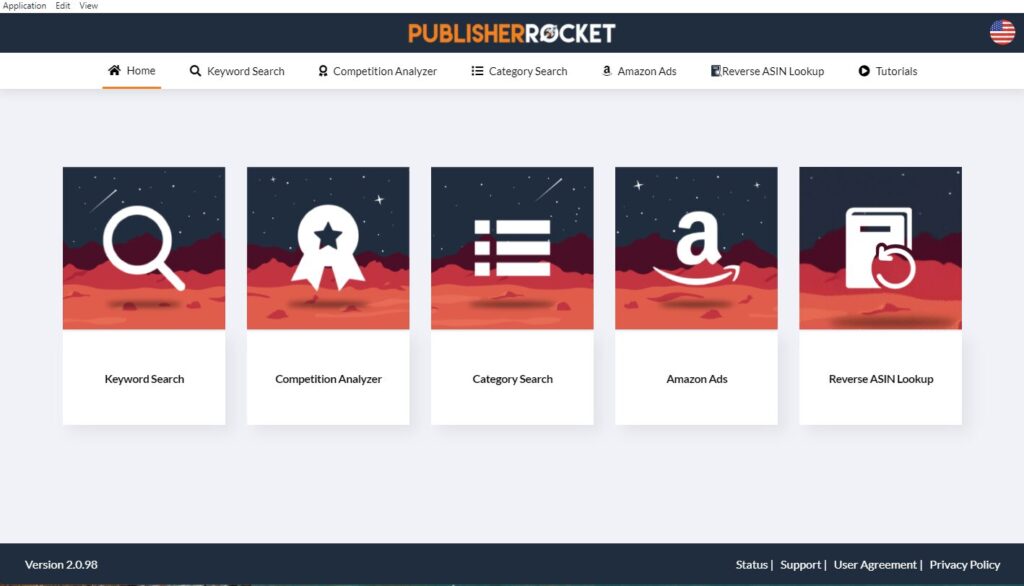
With Publisher Rocket, you can easily perform category, keyword, and competitor research.
I prefer this tool over others because it’s user-friendly, doesn’t have a lot of distracting bells and whistles, and gives you the most up-to-date information available.
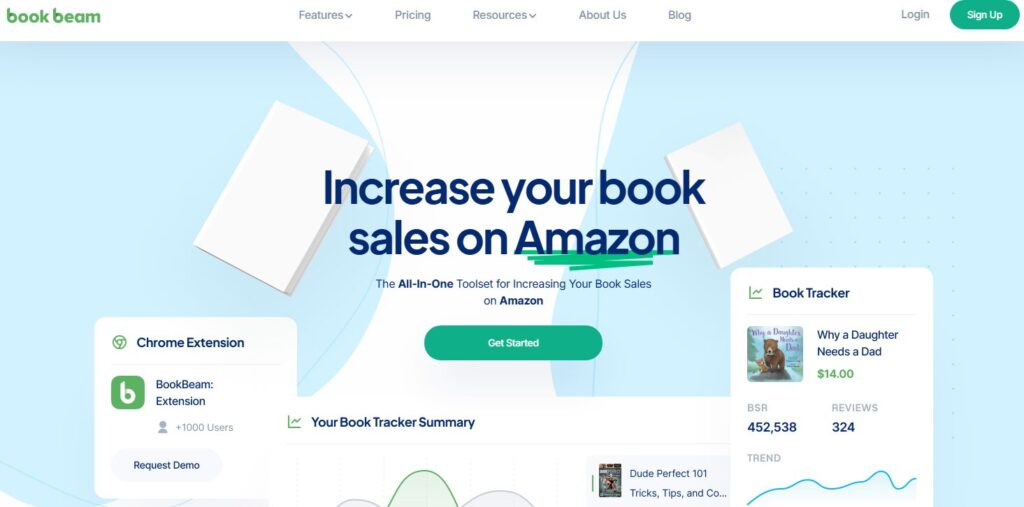
BookBeam offers keyword research along with additional tools like research, tracking, and optimization tools. The tool also offers a niche finder and trademark checker. Starting at $29/mo, it’s best for authors who want deep analysis and niche monitoring.
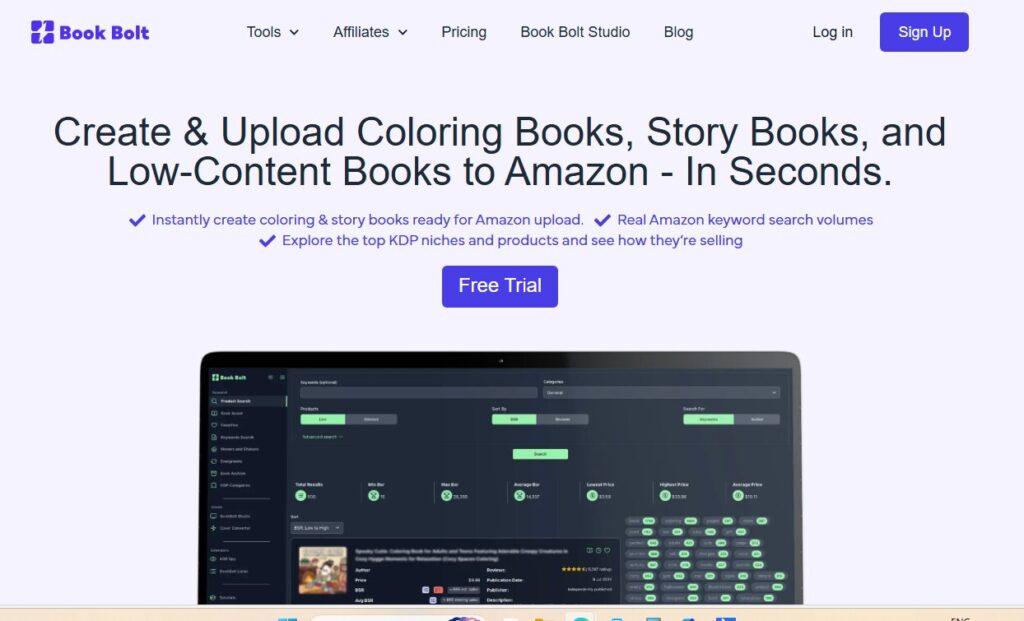
And, finally, there’s BookBolt. Unlike its competitors, BookBolt offers an all-in-one solution for low-content book production that also comes with keyword, KDP category, and product research tools. Starting at $11.99/mo, it best fits authors of low-content books who need design and keyword tools.
What’s trending today?
The keywords that are trending today may change overnight, so it’s a good idea to select evergreen keywords, meaning they are commonly searched and not based on what’s trending on TikTok this week. 🙂
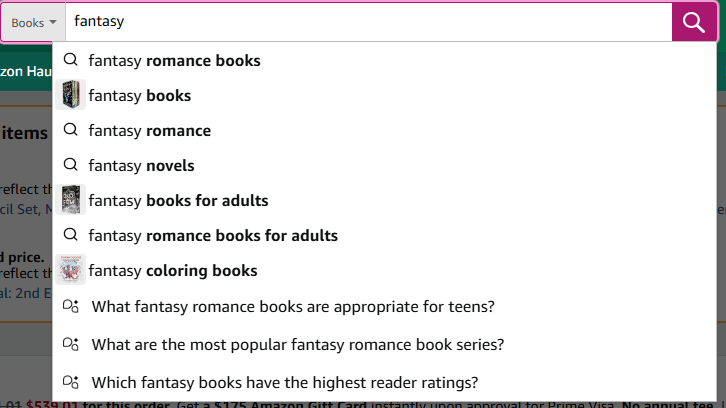
As an example, using the manual search process above, here’s what it looks like when you start a search for “romance”
When I typed in “Romance,” I started with the “fantasy romance” category.
After typing “Romance books for women,” I got another list of terms. The idea is to keep niching down until you find a few keyword phrases that fit your book that you can research.
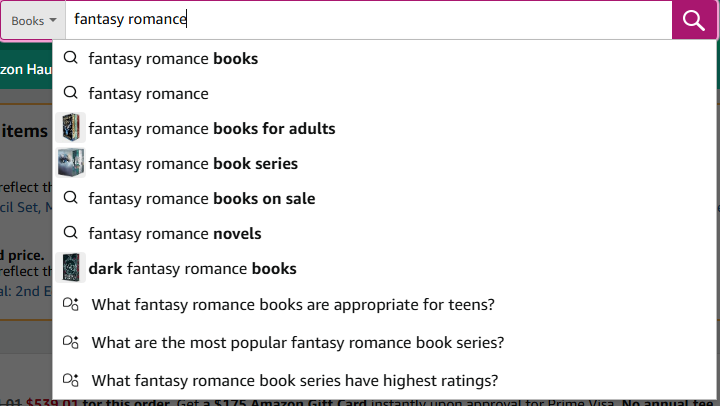
Using the library method of research (using the alphabet), these are the keywords that populated:
Typed “fantasy romance a” / fantasy romance books for adults
Typed “fantasy romance b” /fantasy romance book series
Typed “fantasy romance c” /clean fantasy romance books
Typed “fantasy romance d” /dark fantasy romance
This works for all genres. These were some of the results from using the library search method for the phrase “cosy mystery”
Typed “cozy mystery a”/ cozy mystery anthology
Typed “cozy mystery b”/ cozy mystery book series
Typed “cozy mystery c”/ cozy murder mystery books
One more. Here are some of the results for “thriller.”
Typed “thriller a”/action thriller books
Typed “thriller b”/thriller book series
Typed “thriller c”/Christian thriller books
Typed “thriller d”/domestic thriller
Results will vary based on how you start your research, but as you can see, by changing the seed search terms/phrases and using the library search method, you can create a fairly exhaustive list. It will take some time, but it’s worth it in the end.
Final thoughts
Both manual research and dedicated tools for keyword research can work. If you can, invest in a tool that can give you up-to-date information quickly. Using a tool shaves off a lot of time that you can spend doing other book-related tasks, but if a tool is not in your budget, set aside some dedicated time, create a spreadsheet, and start plugging away. I’ve done it both ways. Do whatever works for you now and change your strategy later when the time is right.