











If you’re wondering about using AI to write a book, this Squibler review is for you. Maybe you long to write a book. You want to test yourself and see if you can really create a plot that keeps readers hooked from first page to last.
I know the feeling. Years ago, I decided to challenge myself by seeing if I could write a full-length novel: plot, subplots, character arcs, the whole thing.
While I accomplished this feat, sometimes, the blank page could be a bit intimidating. How was I supposed to build in great character development and wrap my book up in a way readers would love?
The good news is, we’ve taught over 8,000 authors how to write, publish, and market their books over the last 10 years. Guess what? This includes all things character arcs, backstory, and for nonfiction authors, themes and their core message.
Today, we use this Squibler review to help you identify your next, best step for making your author dreams a reality. Let’s get straight into it!
Squibler review: what’s covered
- What is Squibler?
- Is Squibler better than Scrivener?
- How much does Squibler AI cost?
- Can Squibler write an entire book?
- Is Squibler really worth it?
What is Squibler?
Squibler is an AI story writer that uses your prompts to write a full-length novel, book, or screenplay for you.
How exactly does it work? We use this Squibler review to not just walk you through the process, but help you decide if you should use it to aid you in writing your next book.
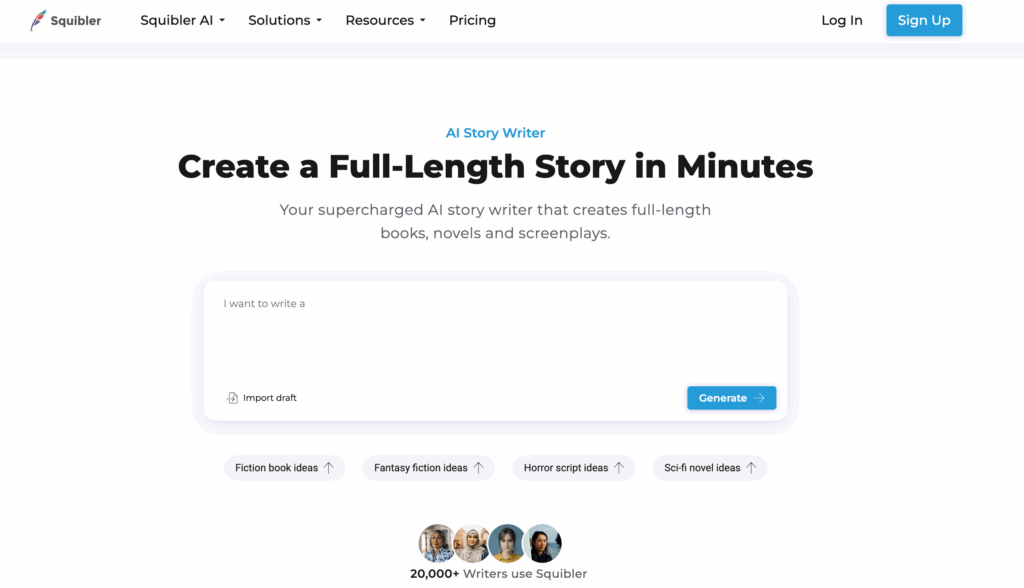
When you type in the website, you’ll quickly see a prompt box (pictured above). You can simply type in your prompt and click Generate. However, you can also scroll down to their templates.
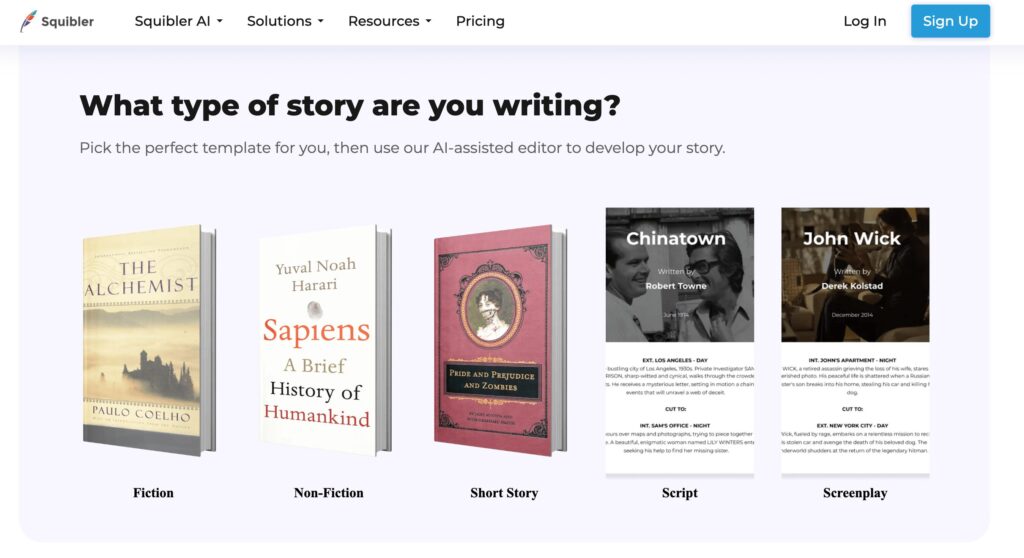
Here, you’ll see the following options to draw from:
- Fiction
- Nonfiction
- Short Story
- Script
- Screenplay
If you click one of these templates (for example, Fiction), you will be taken to a new page. This page leads you through a short series of questions to better understand what exactly you want to write.
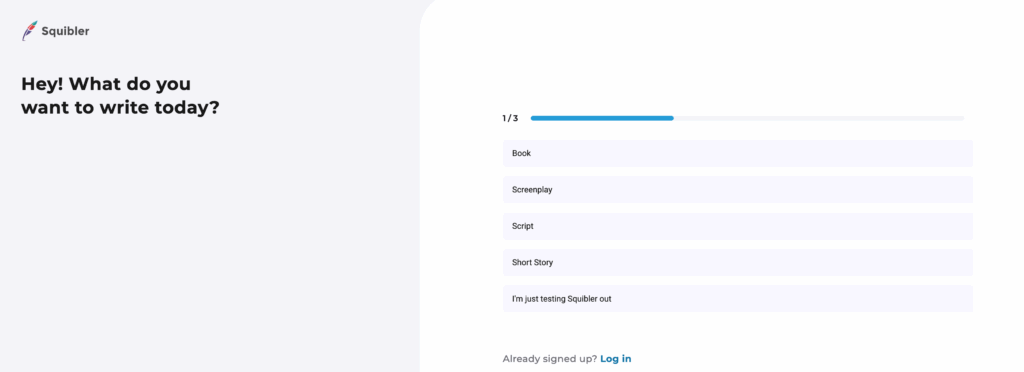
Next, you can use Squibler to generate a full-length book for you or a comprehensive story outline.
For either choice, Squibler wants you to prompt it with your book title and a story synopsis. (If you choose the full-length book option, they even ask you how many pages you would like your book to be.)
After you fill in the prompts, click Generate. Of course, there is more to this Squibler review than filling in the prompts. How much does this cost, and what are the pros and cons of using it, and is it better than other AI generators out there?
Is Squibler better than Scrivener?
Squibler is different from Scrivener, so the two are more so used in conjunction than comparatively.
Scrivener is also an AI-powered writing tool, but its services focus on organizing your manuscript and helping you through the ideation and drafting stage, rather than drafting your manuscript for you.
Squibler, on the other hand, is known for allowing you to input just a few prompts and based off these prompts, generating an entire story outline or even manuscript on your behalf.
You could use Squibler to generate an outline for you, then use Scrivener as a way to help you turn the Squibler-generated outline into a full-length novel. With all of this in mind, what are the costs associated with Squibler?
How much does Squibler AI cost?
This Squibler review touches on its different membership opportunities, including both their free version and paid option.
Squibler review: free version
If you decide to trial Squibler or simply want to avoid investing in it, you can try the free option.
Squibler’s free version includes:
- Up to 6000 AI words per month
- Five image generations per month
- Editors: fifteen files and one project
- Version history for thirty days
- Sharing permissions: edit only
If you don’t want an entire story written for you, or if you want help writing a specific part of your story, this free version may be just right for you.
Squibler review: paid version
The paid version offers additional services. You can pay $29 per month or $192 ($16/month), billed annually.
Squibler’s paid version includes:
- Unlimited AI manuscripts and outline generation
- Unlimited AI writing features
- Unlimited text to image generation
- One physical copy
- Live online training
The paid version may be best for you if you would like AI to generate your entire outline or manuscript.
This version could also work well if you could benefit from coaching via live training. That said, you could also consider using the free Squibler version and working with a personal writing coach.
Can Squibler write an entire book?
Yes, as you saw in the paid version of this Squibler review, Squibler can generate an entire book, novel, or screenplay for you in just a few minutes.
This may feel too good to be true, especially if you fixate on each sentence, over-editing to the point where you feel you never can achieve your daily word count goals.
It is important to note that while you can use AI to generate an entire manuscript for you, you do need to input quality prompts.
This means you must spend quality time in your ideation stage. You may want to read books on creativity, plot structure, and themes in storytelling before typing in your prompt.
You can certainly use AI to help you generate your book outline, or even your book itself, but more goes into it than simply typing: Write a book for me on ___ topic. You could do this, but the output would likely be severely lacking.
Is Squibler really worth it?
This Squibler review isn’t about deciding for you, but providing you with the research to make a valid choice, all based on your specific writing goals.
Whether you go out and purchase Squibler (or sign up for a free trial) after this Squibler review is up to you, but here are a few aspects to consider.
Could you benefit from avoiding the blank page altogether?
Have you ever stared at the blinking cursor on the page and wondered, “How am I ever going to write 80-thousand words, starting now?”
It can feel like an impossible task. In fact, it’s a prime time for Imposter Syndrome to creep in:
- “You’ll never be an author.”
- “You don’t even know how to start your story. You’ll never finish.”
- “Writing is too hard. Give up now.”
If the blank page intimidates you to the point of foregoing your dreams altogether, you may want to consider trying Squibler.
Just because you use AI to generate a book outline for you does not mean you can’t change the outline, even completely, to work it into something you’re proud to build a story from.
Sometimes, all you need is something to start editing to get you going. If this is the case for you, maybe your takeaway from this Squibler review is to go ahead and give it a go.
Do you take pride your unique writing voice?
The unique nuance, tone, and overall feel of your writing is something you generate as a human, fingers on the keyboard, perhaps with a coffee on the table beside you.
While you certainly can work from an AI-generated draft, you will be editing work created by AI, rather than editing your own tone and voice.
If you take pride in finding your own writing voice and writing in it, you may want to avoid using Squibler to generate your entire manuscript for you.
Instead, use Squibler to generate an outline for you, or simply use our Book Outline Generator (below) to help you do so. Then, edit this outline and start your draft from scratch. If this is you, you may want to avoid signing up for Squibler after this Squibler review.
One aspect to note before using Squibler
Whichever camp you fall into above, it’s important to note the implications of using AI to generate your work. One of our writers described the ethical implications of using AI (such as Squibler) below:
“Most large language models are trained on datasets that include copyrighted materials without the authors’ consent. That means a portion of what you’re using to write your book is built on work taken without permission.”
Of course, there are ethical ways to use AI with intention and to help you in your writing journey. Just take note of the implications before delving in. How are you using the platform, and are there any implications you should be aware of before doing so?
Squibler review: take your next step
Remember how I told you I wrote my first book just to see if I could? Now it’s your turn to see if you can write a book…and chances are, you can. You have the resources to do so, too!
Now that you have worked through this Squibler review, it’s time to take your next step in your writing process. Use our free Book Outline Generator below to help you get ahead in your journey.
Remember, whatever outline it generates, the point is to give you something to work with so you can start. You can always edit later. Today is the day to start your journey to authorship. Outline your book below!
Book Outline Generator
Choose your Fiction or Nonfiction book type below to get your free chapter by chapter outline!
Book Outline Generator
Enter your details below and get your pre-formatted outline in your inbox and start writing today!
CONGRATULATIONS
Thanks for submitting! Check your email for your book outline template.
In the meantime, check out our Book Outline Challenge.