



















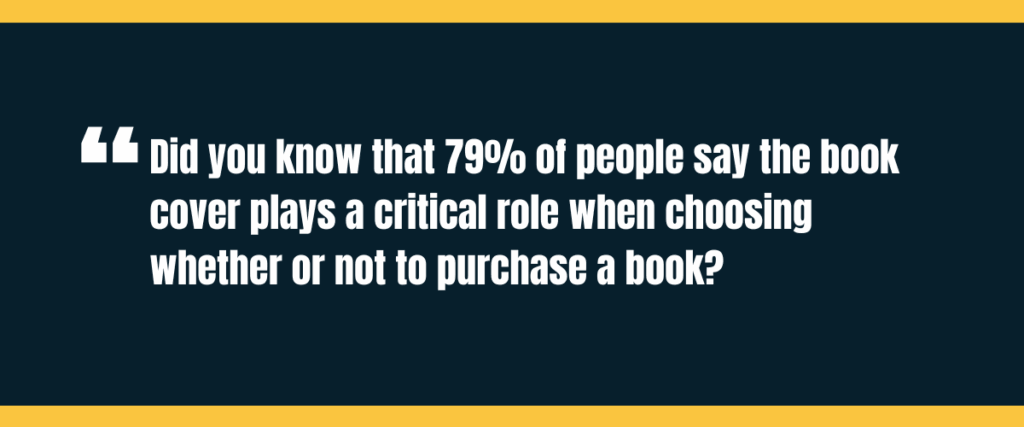
Did you know that 79% of people say the book cover plays a critical role when choosing whether or not to purchase a book? That’s why this Book Brush review tackles all things book covers and marketing!
In fact, within 90 seconds of a person’s initial interactions with products, they make up their minds on the product, with 62‐90% of the assessment based on color alone.
We’ve taught over 8,000 authors how to write, publish, and market their books over the last 10 years, and now it’s time to help you settle on your book cover designer!
Book Brush review: what you learn
- What is Book Brush?
- Does Book Brush cost money?
- Book Brush review: pros and cons
- Book Brush testimonials
- What is the alternative to Book Brush?
What is Book Brush?
Book Brush is a technology company led by CEO Josh Wiley whose focus is to create book covers, ads, and social media images for your books. Book Brush works to achieve this end through a team of 12 people that cover the gamut from video designer to software developer.
Book Brush has been featured in a variety of well-known places, including:
- BookBub
- ProWriting Aid
- Written Word Media
- KindlePreneur
- Apple
The tagline on their landing page is “The easiest way to create professional ads & social media images for your books.”
If you want to get your book noticed so you can make money publishing books, creating a standout cover and marketing materials is a key starting point.
In addition to helping you create these materials, Book Brush also hosts a website blog where they share helpful information regarding how to use their services to best promote your book.
For example, they share top community templates, the best book cover fonts to use, templates to promote your book giveaway, and more. Their blog seems relatively active, with posts looking up to date and written for the good of their users.
Fun fact about BookMARCon: Paying members are invited to attend a three day, private conference at no charge. This could be a great place to market your book and learn from Book Brush professionals.
With this in mind, let’s get into the practicalities in this Book Brush review.
Does Book Brush cost money?
Like most softwares, Book Brush can become an investment. One important aspect to note in this Book Brush review is that you can use either a free or paid version.
The amount you choose to invest will depend on what you want to get out of Book Brush (this Book Brush review will take you through their offerings).
So while Book Brush does offer a free version, there are a variety of paid versions you can take advantage of, including a Single Author Plan or a Professional Plan.
The details of each are below. Use this Book Brush review breakdown to help you decide which one may be best for you. We start with a breakdown of the Single Author Plans.
Book Brush review: single author plans
If you are a single author and eager to begin your book cover design and book marketing, one of the following plans may benefit your needs.
Free plan:
- 15 Image Downloads
- 4M+ Stock Photos
- Author-Specific Images
- 250+ 3D Cover Templates
- 3.5K+ Author-Specific Templates
Plus, $8.25/month or $99 yearly:
- Unlimited Image Downloads
- Ticket to BookMARCon
- 4M+ Stock Photos
- Author-Specific Images
- 250+ 3D Cover Templates
- 3.5K+ Author-Specific Templates
- 1 Reader Hub Pages
- Upload Fonts
- Animation Tools
- Priority Support
- Cover Creator
Gold, $12.25/month or $146 yearly:
- Unlimited Image Downloads
- Ticket to BookMARCon
- 4M+ Stock Photos
- Author-Specific Images
- 250+ 3D Cover Templates
- 3.5K+ Author-Specific Templates
- 2 Reader Hub Pages
- Upload Fonts
- Animation Tools
- Priority Support
- Cover Creator
- Box Set Creator
- Instant Mockups
Platinum, $20.50/month or $246 yearly:
- Unlimited Image Downloads
- Ticket to BookMARCon
- 4M+ Stock Photos
- Author-Specific Images
- 250+ 3D Cover Templates
- 3.5K+ Author-Specific Templates
- 3 Reader Hub Pages
- Upload Fonts
- Animation Tools
- Priority Support
- Cover Creator
- Box Set Creator
- Instant Mockups
- Trailer Creator
- 10 Free Background Removal Credits Per Month
- Platinum Mockups
- Exclusive Education Webinars
With this in mind, a brief look at the Professional Plans.
Book Brush review: professional plans
The Free plan is the same, regardless of whether you choose the Single Author or Professional Plan.
Pro 1, $23.25/month or $278 yearly:
- 100 Image Downloads
- 4M+ Stock Photos
- Author-Specific Images
- 250+ 3D Cover Templates
- 3.5K+ Author-Specific Templates
- 3 Reader Hub Pages
- Upload Fonts
- Animation Tools
- Priority Support
- Cover Creator
Pro II, $39.25/month or $470 yearly:
- 200 Image Downloads
- 4M+ Stock Photos
- Author-Specific Images
- 250+ 3D Cover Templates
- 3.5K+ Author-Specific Templates
- 3 Reader Hub Pages
- Upload Fonts
- Animation Tools
- Priority Support
- Cover Creator
- Box Set Creator
Pro III, $79.25/month or $950 yearly:
- 500 Image Downloads
- 4M+ Stock Photos
- Author-Specific Images
- 250+ 3D Cover Templates
- 3.5K+ Author-Specific Templates
- 3 Reader Hub Pages
- Upload Fonts
- Animation Tools
- Priority Support
- Cover Creator
- Box Set Creator
You can see the price points vary greatly based on where you decide to focus your design and marketing efforts. Book Brush also offers hourly concepts at different price points.
If you decide to choose one of these plans, you may want to do a bit of research as to what the most popular book genres do to best handle promotion and design.
While you do not want to exactly replicate their designs or efforts, using their success as inspiration for your own can benefit your own efforts and bring in a positive ROI.
Book Brush review: pros and cons
Any review is not complete without a list of pros and cons, and the same goes for this Book Brush review. Let’s take a brief look at why you may or may not want to use Book Brush for your book or book series cover and promotional material.
Book Brush review of pros
There are many pros to using Book Brush, as discussed above and evidenced by it being featured by several well-known companies. However, here are a few more.
Time saver: Book Brush prides itself on its speedy turnaround time. What may take you hours of work by yourself, Book Brush can help you achieve in a fraction of the time.
Free book cover consultation: If you choose to use Book Brush to help you create your cover, they offer a free consultation and custom book cover design.
Variety of plans: While social media management and book cover designs can get expensive, this Book Brush review showed that they offer a variety of plans over an array of price points.
Book Brush review of cons
Now let’s take a brief look at the cons.
Investment: Mentioned above, Book Brush offers a variety of plans. However, many of the specific features you may rely on are only part of the paid plans or more expensive plans.
Restrictions: Since Book Brush is a platform that uses technology to help you with designs, you are, of course, limited to the reaches of this specific technology. But, if you do not desire a highly personalized product, this may not present a problem for you.
Templates: If you decide to create your own book cover, you will have 3,000 templates to choose from, but these are templates. Similar to the technological restrictions, if you have a very specific vision for your book cover, you may find yourself frustrated with the process toward authorship.
Book Brush testimonials
This Book Brush review must include a few testimonials!
- “The Book Brush team goes above and beyond to strategize, create graphics, and craft posts that perfectly align with my message.” —Nikki Jefford
- “Their dedication and attention to detail truly lightened my load, allowing me to focus more on my…writing career.” —Lauren Lee Merewether, award-winning author
- “They’ve done exactly what they said they would and they’ve made everything as easy as possible for me.” —Jessie Gussman, USA Today bestselling author
- “The 3D cover templates are awesome, and so is the team behind it.” —Ryan Zee
While these are reviews posted on their website, if you take a look through Reddit, you’ll find similarly positive reviews. For more reviews of their book cover 3D service, click here.
In addition, several of the above reviews are also from bestselling and award-winning authors, which further legitimizes Book Brush.
Now that you are familiar with this software and how they can help you with your book design and marketing materials, you can make an educated choice on your next step.
Whether your next step is using Book Brush or an alternative, be sure to keep your specific author goals front of mind as you make your decision!
What is the alternative to Book Brush?
If you choose not to use Book Brush, you could also try Canva, or even use Canva in conjunction with Book Brush. Canva is an online designer platform that offers both free and paid versions. You can use the platform to create a variety of graphics.
These include, but are not limited to:
- Social media posts
- Social media shorts
- Newsletter designs
- Book covers
The free version offers quite an array of templates and personalization, with the paid version offering even more.
Book Brush review: take your next step today
Now that you have an expansive Book Brush review, it’s time to take your next step in your author journey. Take our free, 2-minute Publishing Path Assessment and choose the best author journey for you!