
















If you’re a creative, and chances are, that’s you, it’s time for a Dabble Writer review. I know what it feels like to sit down and want to write, but feel like some additional resources could help.
I wrote my first novel with no writing community and no special writing software. It was just me, developing characters page by page until I reached the end.
My second book, on the other hand, I had a tremendous book coach, fantastic writing community, and everything I needed to succeed. No matter where you fall, you can use this Dabble Writer review to pinpoint exactly what’s best for you and your writing needs.
In fact, did you know we’ve taught over 8,000 authors how to write, publish, and market their books over the last 10 years? With a decade behind us, we’re eager to help you achieve your writing goals.
We’ve refined our process through the years and developed a system based on experience, coaching, community, and support. Today, we want to support you with this Dabble Writer review!
Dabble Writer review:
- What is Dabble Writer?
- Is Dabble Writer good?
- How much does Dabble Writer cost?
- Which is better, Scrivener or Dabble?
- Dabble Writer reviews
What is Dabble Writer?
This Dabble Writer review must start with defining what it is: a writing software that helps you both plot and write your book. Dabble’s origin came from a simple goal: provide writers with the answers that other softwares out there weren’t.
Rather than create a detailed interface that distracted writers from their goal of actually writing, the founder, Jacob Wright, decided to use intuitive features with a clean interface to help writers:
- Organize ideas
- Develop plots
- Stay inspired
If you access the Dabble Writer website, you’ll see this quote from Ernest Hemingway: “There is nothing to writing. All you do is sit down at a typewriter and bleed.”
Dabble decided writing is difficult enough by itself. I mean, Hemingway called it sitting down to bleed. Who wants to do that every day?
To help you stay inspired from your first page to your last page, they created this software to streamline the process, eradicate any clunky tools, and allow you to avoid the clutter, all for a smooth writing experience. Why? They want you to focus on what matters most about writing: telling the story.
A bit of context on this Dabble Writer review:
- They have been around for over 7 years, building tools for writers
- Over 3.6 billion words have been written in Dabble (that’s billion, not million)
- Millions of Dabble authors have sold their books
- And thousands of authors create stories, every day
Just think how many book genres have entered the world because of Dabble Writer. It’s a bit mind blowing. Let’s move on to the core values in this Dabble Writer review.
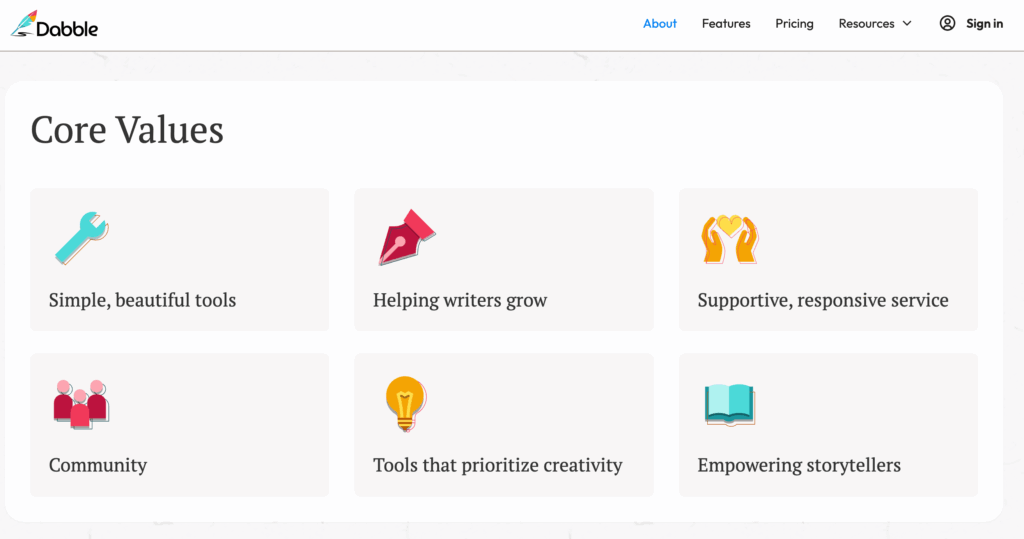
They list six on their website, which I share below:
- Simple, beautiful tools
- Help writers grow
- Supportive, responsive service
- Community
- Tools that prioritize creativity
- Empowering storytellers
With this background laid for our Dabble Writer review, let’s get straight to the point by asking…
Is Dabble Writer good?
Of course, the answer is subjective, but self-publishing success stories often start with a solid writing community and focused writing, both of which Dabble Writer offers.
This Dabble Writer review also need to touch on why writers enjoy it. Just as Dabble Writer focuses on six core values, they have six key areas they aim to empower writers.
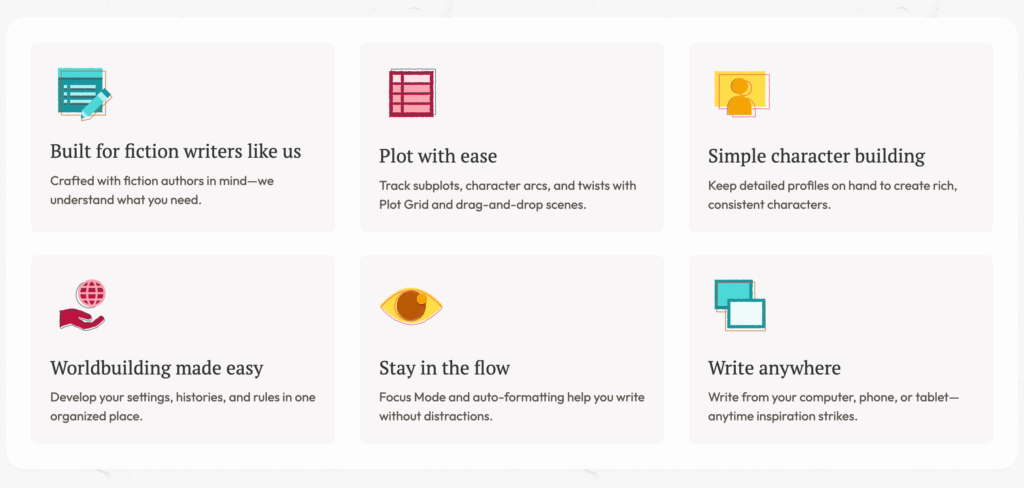
Dabble’s key features include the following:
- It’s built for fiction writers. They created the software with fiction writers top of mind.
- It allows you to plot with ease. You can use Dabble to track your subplots, various character arcs, plot twists, and even drag-and-drop scenes.
- You can build characters in an organized manner. Dabble allows you to create custom character profiles so your characters remain consistent in their traits and well rounded throughout your story.
- Dabble created space for you to develop your worldbuilding, setting, history, rules, etc., all in just one place. No more losing notes!
- Their Focus Mode keeps you writing distraction free, and they also allow you to auto-format. Just write!
- With Dabble available for computer, phone, and tablets, you can write no matter what you have access to at the moment creativity strikes.
I don’t know you about you, but not having to navigate much of a learning curve in order to learn a new writing software changes everything. It’s one thing to pay for something you think will help you finally write your novel, then have to sit down and learn how to use it. It’s another to invest in a software that empowers you to just write.
Which…if we’re being honest, is why most of us write anyway. We want to share our stories, whether our real-life memoirs or our fictional characters’ stories.
Taking time to learn a new software takes away from valuable writing time. If you learn anything from this Dabble Writer review, you may want to focus on its clean, easy-to-use interface that allows you to get to writing.
How much does Dabble Writer cost?
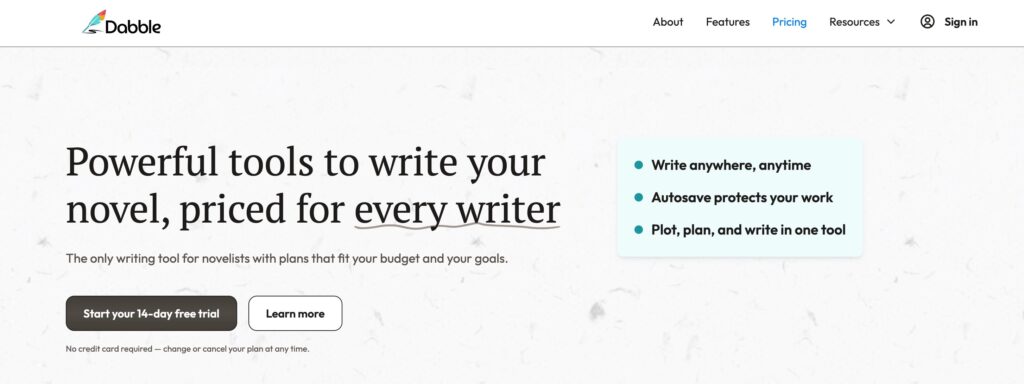
Speaking of investing in a software, Dabble offers a free, 14-day trial. This trial includes all of their premium features. Rather than get a limited taste, Dabble allows you two full weeks to create your own mental Dabble Writer review and decide if you want to go all in with them.
Let’s take a look at their paid versions as well, because who knows, after you experience Dabble for a few weeks you may want to stick with it!
Basic: $9/month
Dabble calls this the plan “for getting started writing.”
When you invest in the Basic plan, you gain access to:
- Unlimited manuscripts
- Cloud backup and sync
- Access on any device
- Goals and stats
- Manuscript organization
- Spell check
- Dark mode
- Email support
These features can really help you track your progress (and easily write at night via dark mode) without breaking your bank.
Standard: $19/month
Dabble says Standard is “for the serious writer.” Not that you’re not serious if you invest in the Basic…
But the Standard plan includes:
- Everything in Basic
- Plot Grid to map your story
- Story notes for characters, settings, and more
- Focus mode for distraction-free writing
- Text highlighting
- Sticky notes to track revisions
- Comments for fine-tuning details
Online sticky notes sounds great to me. I have so many sticky notes from my different edits and manuscript editions. To have these digitized sounds amazing.
Premium: $29/month
If you’re here “for working on publishing” your novel, the Premium plan is for you.
This plan offers:
- Everything in Standard
- Advanced grammar and style checks
- In-context thesaurus for better word choice
- Read-to-Me feature for reviewing your text aloud
- Co-authoring for collaborative projects
- Priority support via chat and email
- Access to premium courses, workshops, and content
Writing workshops have made a life-changing impact in my own writing journey. I highly recommend taking workshops, no matter what stage of the writing process you are in.
Also, the Read-to-Me feature can significantly enhance your dialogue. One of my writing colleagues spends an entire edit simply listening to his manuscript read to him, and making changes accordingly.
Which is better, Scrivener or Dabble?
This is the age-old question, because Scrivener is so well known…but this Dabble Writer review has shown Dabble knows how to hold its own. One Dabble Writer had this to say about the two:
“I have long loved Scrivener. Compared to Word or Google Docs, it’s so much easier to create and reference characters, outlines, and worldbuilding in a dedicated novel writing software. Dabble is so much better than Scrivener. Scrivener has everything. It really does. But it is confusing, and clunky. Dabble has everything I need for creating and writing my stories… It’s simplistic in the best way, and it’s gorgeous to boot.” —Constance
However, you can make the decision for yourself, as Scrivener also has a free trial version. You could try one software for a full trial, then switch to the other, and decide which works best for you.
Dabble Writer reviews
Finally, let’s take a brief look at what Dabble Writers say about using the platform.
- “Dabble is a very smooth interface. It is one of the easiest that I have ever used. I thoroughly enjoy it.” —Latara
- “The fact that Dabble has a web interface and online sync was the clincher for me.” —Caden
- “I just want to let you guys know that I am in love with my experience with Dabble. I look forward to writing just to see my stuff laid out in front of me.” —Anna
- “Dabble remains my new favorite thing. I spent last night trying out every browser-based novel-writing tool in existence. And I’m back here with Dabble this morning.” —Doug
But of course, the end choice is up to you. Has this Dabble Writer review inspired you to try it? Each writing software is subjective and targets different writing areas.
If the core values and features listed above resonate with your needs, you may want to sign up for a free trial and see if you enjoy it!
Dabble Writer review: take your next step
Now that you know all about Dabble Writer, take your next step as an author. Use our free Book Outline Generator and get writing today!
Book Outline Generator
Choose your Fiction or Nonfiction book type below to get your free chapter by chapter outline!
Book Outline Generator
Enter your details below and get your pre-formatted outline in your inbox and start writing today!
CONGRATULATIONS
Thanks for submitting! Check your email for your book outline template.
In the meantime, check out our Book Outline Challenge.