








You don’t know where people want to buy your book from. Amazon seems like the safest bet, but that’s not always the case. Nor is it convenient to list 4 links with all the places one could grab your book. That’s where universal book links come into play.
Without giving people the right option—or giving people too many options—you run the risk of reducing the rate of conversion. Which is just marketing-speak for buyers.
So let’s dive into what universal book links are, why they’re important, and how you can make them (plus a few tips).
Here’s what we’ll cover:
Book Outline Generator
Choose your Fiction or Nonfiction book type below to get your free chapter by chapter outline!
Book Outline Generator
Enter your details below and get your pre-formatted outline in your inbox and start writing today!
CONGRATULATIONS
Thanks for submitting! Check your email for your book outline template.
In the meantime, check out our Book Outline Challenge.
What are universal book links?
Universal book links (UBLs) are unique URLs that direct readers to a book’s product page across multiple online retailers. Instead of sharing separate links for Amazon, Barnes & Noble, Apple Books, or Kobo, a universal book link consolidates all these options into a single, streamlined link.
When you give people fewer options, it actually increases the likelihood that they’ll perform the action you want.
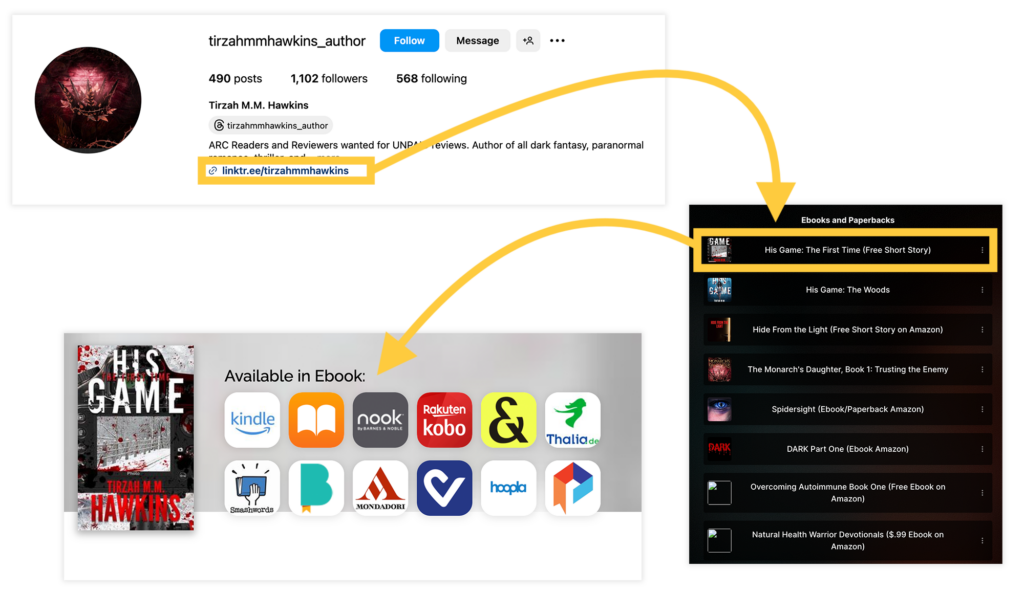
When a reader clicks a UBL, they are typically presented with a list of retailers where the book is available. Some services even customize this experience, automatically directing the reader to their preferred store based on their location or device.
This is a single link you can use in your social media profiles, when you send to friends, or any time you promote your book online.
Here’s what one of these looks like in action:
Key benefits of universal book links:
- Convenience: Readers can choose their favorite store with one click.
- Global Reach: UBLs often include region-specific stores.
- Marketing Simplification: Instead of juggling multiple links, you share just one.
Popular tools for creating UBLs include Books2Read, Booklinker, and BookSprout, which we’ll get into in the next section.
How to set up a universal book links
Setting up a UBL is straightforward, thanks to user-friendly tools available online. It’s best to use platforms where this is the sole purpose.
Step 1: Choose a UBL Service
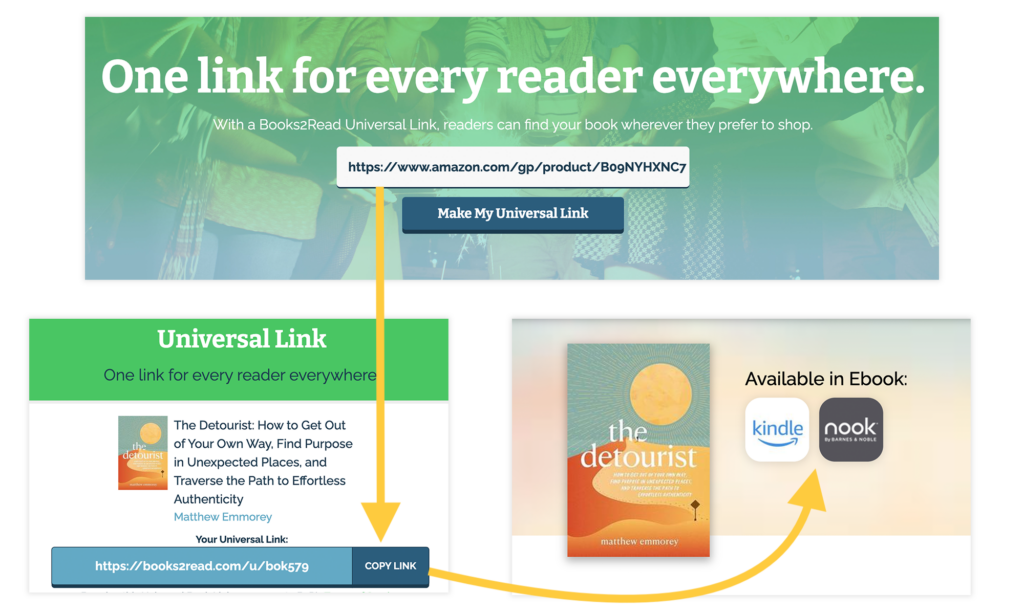
Select a service such as Books2Read (a favorite among indie authors, pictured above). Many platforms offer free options. You can just do a quick Google for “universal book link generator” and will see many options pop up.
Step 2: Input Your Book’s Information
Enter the URL for your book on a major retailer, such as Amazon. The tool will scan for the book across other online stores. This is an automatic process you don’t really need to do anything else for.
Of course, this is assuming your book is available on other retailers.
Here’s an example of what you’ll see for a book that’s available in several places (using Books2Read):
Step 3: Verify and Customize
Check the list of stores detected. If some are missing, you can manually add links. Here’s what that looks like with this specific tool:

Just copy and paste the specific links and it’ll populate those options on your final book link page.
Some services also allow customization of the UBL’s appearance, making it branded or memorable.
Step 4: Share the Link
Once your UBL is generated, use it in your marketing materials, email campaigns, social media posts, and even QR codes. Save it somewhere so you don’t have to generate a new one every time, like in a spreadsheet or task management software.
Amazon universal book links for unique countries
The way universal book links work for Amazon is slightly different. If you’re solely self-publishing on Amazon and aren’t utilizing wide distribution, you’ll still want a universal book link for Amazon that opens the book in a person’s individual country.
This is great for those who have a large audience, or whose books have wide appeal.
Instead of opening in the same country link that you’re in (which might require some people to close out and reload Amazon, just to manually search for the book, reducing the conversion—the buyers), it’ll open to their country so they can simply click to purchase.
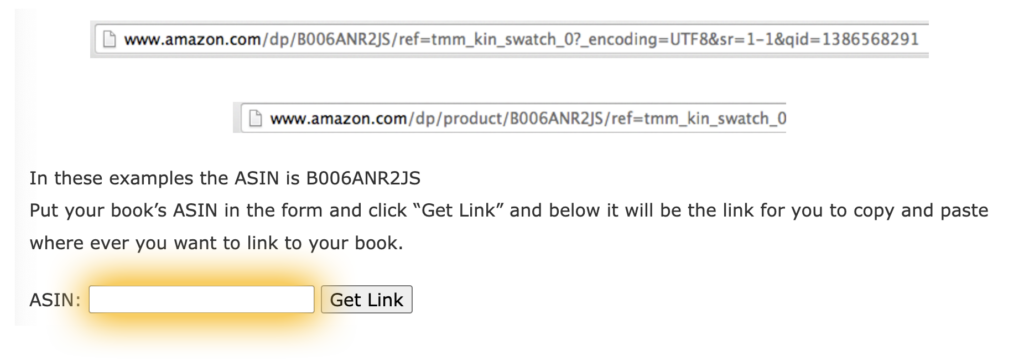
A helpful tool to make an Amazon universal book link is from BookGoodies. It requires that you find your book’s ASIN, with instructions to do that, and it will generate your universal link.
How universal book links apply to self-publishing
For self-published authors, universal book links are more than just a convenience—they’re a marketing must-have.
Here’s why:
1. They maximize discoverability
Self-published books are often available on multiple platforms, from Amazon Kindle to niche retailers. A UBL ensures every reader finds the retailer that works best for them.
2. You can track performance
Many UBL tools offer analytics, allowing you to monitor clicks and identify where your audience is shopping.
3. Simplifies advertising
If you’re running ads on social media or through newsletters, a single link reduces confusion and makes your campaigns cleaner and more effective. It’ll increase conversion rates because if you can use a single link in your ad, and customers purchase from various places, you don’t lose out on a sale because someone isn’t interested in buying from Amazon, despite your ad link going to that site.
4. Wider, global sales
With UBLs, you don’t lose international readers to region-lock issues. Tools like Books2Read automatically redirect users to the appropriate country-specific store, as do other tools specific to Amazon (mentioned above) if you don’t publish wide.
5. Professionalism
A single, branded link looks polished and professional, reflecting positively on your author brand. The user experience being simple and easy goes a long way for readers maintaining a strong impression that you’re a professional author.
When links are clunky or messy, your audience is likely to think your book is also this way.
While that logic isn’t sound, it’s still how people think and operate psychologically, so having a professional appearance will reflect positively on your book.
24 FAQs for universal book links
More questions about universal book links? We’ve got the answers! Here are some common questions you might have, and exactly what you’ll need.
1. Are universal book links free?
Yes, many UBL services like Books2Read offer free options. Premium features, such as advanced analytics or custom branding, may have a cost.
2. Can I update a UBL after it’s created?
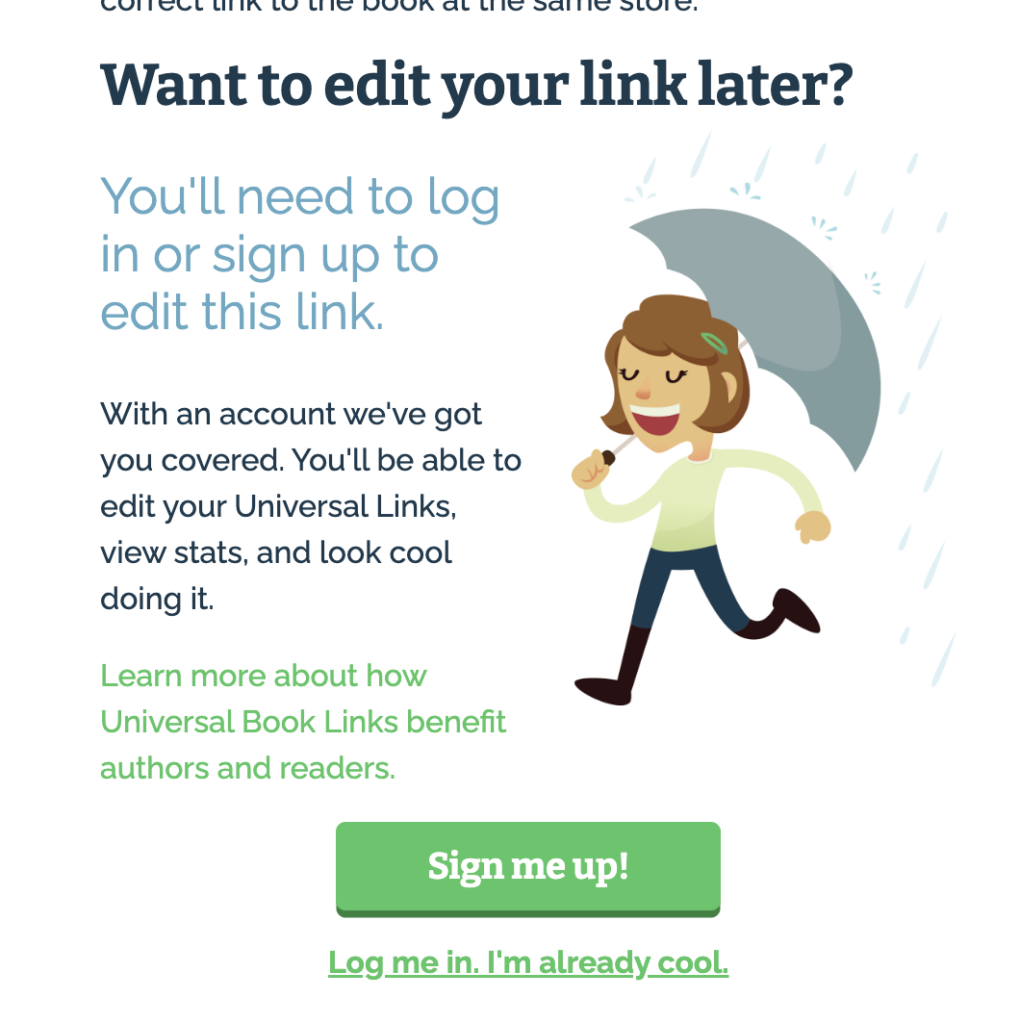
Absolutely! Most platforms allow you to edit your UBL if you release new editions or add more retailer links. You will likely just need to create an account with the site in order to return to your link.
3. Will a UBL work for print and audiobooks?
Yes! UBLs aren’t limited to ebooks. You can link to print and audiobook editions across various platforms.
4. How do UBLs help with affiliate marketing?
Some UBL tools, like Booklinker, let you integrate affiliate IDs, which lets you earn additional income from sales.
5. Are UBLs necessary if I only sell on Amazon?
If you’re exclusive to Amazon, a UBL might not seem essential, but it can still simplify your marketing and track clicks effectively. Or you can just focus on creating Amazon universal book links, as mentioned above, and you won’t need the other ones.
6. How do universal book links handle updates to retailer URLs?
Most UBL services automatically update retailer links if the book’s URL changes (e.g., due to a new edition or a retailer’s update). However, it’s always a good idea to check periodically to ensure accuracy.
7. Can I create separate UBLs for different editions of my book?
Yes! You can create unique UBLs for each edition, such as ebook, paperback, hardcover, or audiobook. This is especially useful for targeting specific audiences.
8. Can I customize the URL of my universal book links?
Many UBL services allow you to create custom URLs, either by editing the link slug or by integrating with your domain name. This can make your links easier to remember and share.
You can also always create a “pretty link” (also known as a 301 redirect) from your personal domain, which can make it look even more professional.
For example, you can create the link: yourauthorsite.com/buy and set the redirect rules so when someone goes to that page, it automatically loads your universal book links page.
9. Do UBLs work for free books or promotions?
Yes, universal book links are great for promoting free books, limited-time deals, or discounts. Readers can easily find the best deal on their preferred platform.
10. Are UBLs compatible with social media platforms?
Absolutely! UBLs are perfect for sharing on social media platforms like Instagram, Facebook, and Twitter. They can also be used in bio sections and in-story links. Many authors use them instead of linktree links, or they use the link within a linktree if they have other actions they wish their audience take.
11. How do UBLs handle international stores?
UBLs are designed to accommodate international readers by redirecting them to their local or region-specific retailer pages, ensuring seamless access to your book.
12. Can I see which retailers are getting the most clicks?
Yes, most UBL services provide analytics that show you which stores are receiving the most traffic. This data can help you refine your marketing efforts.
13. Do UBLs include library distribution platforms?
Some UBL services allow you to include links to platforms like OverDrive, Hoopla, or Scribd, making it easier for readers to access your book through libraries.
14. Can I use a UBL in email marketing campaigns?
Definitely! UBLs are ideal for email campaigns, as they keep your emails clean and concise while providing readers with an easy way to access your book. Plus, if you use too many links in an email it’s more likely to be marked as spam, never reaching your audience at all.
Goodbye book sales!
15. What happens if my book isn’t available on all major platforms?
You can still use a UBL! Simply include links to the platforms where your book is available. The service will only show those options to readers.
16. Are there limits to how many retailers I can include in a UBL?
Most UBL services support dozens of retailers, but the exact number may vary. Check with your chosen service if you have a large distribution network.
17. Do UBLs work with QR codes?
Yes! You can generate a QR code linked to your UBL, making it easy for readers to scan and access your book from physical marketing materials like bookmarks, posters, or business cards.
18. Can I use UBLs in paid advertising campaigns?
Yes, UBLs are excellent for paid ads on platforms like Google, Facebook, or Amazon Ads. They simplify the process for potential buyers, leading to higher conversion rates.
19. What happens if a retailer removes my book?
If a retailer removes your book, the universal book links won’t show that link to readers anymore. You can manually update or remove the retailer link within your UBL account/
20. Do UBLs affect SEO for author websites?
Using a UBL on your author website doesn’t directly impact SEO, but it enhances user experience by providing a clear and easy way for readers to access your book. This can indirectly improve your website’s engagement metrics.
21. Are there alternatives to using a UBL?
While you could manually list all your retailer links, this is time-consuming and less user-friendly. UBLs streamline the process, saving you time and effort.
But, if you’re tech savvy, you can also create a custom page on your author website with links to all the buying options. This would include:
- creating a page
- layout design to include book cover
- images, buttons, or written links to all retailers
- manually pasting the correct retailer link in the given container (image/button/link)
- ensuring the design is both desktop and mobile friendly
22. Can I link to non-book products with a UBL?
Some UBL tools are specifically designed for books, but general URL-shortening services with similar functionality can be used for other products.
23. How do UBLs help with pre-orders?
UBLs are perfect for pre-orders. Readers can find your book on their favorite platform ahead of its release, boosting pre-order sales and early visibility.
Plus, if you’re trying to make a certain bestseller list, this is a good option because certain bestseller rules require varied purchases across different retailers.
24. Are universal book links mobile-friendly?
Yes, UBLs are designed to work seamlessly on mobile devices, ensuring readers can access your book with ease regardless of their device.
Using universal book links should be standard practice for any author taking themselves seriously. You’ll streamline your marketing and sell more books in the process.
Book Outline Generator
Choose your Fiction or Nonfiction book type below to get your free chapter by chapter outline!
Book Outline Generator
Enter your details below and get your pre-formatted outline in your inbox and start writing today!
CONGRATULATIONS
Thanks for submitting! Check your email for your book outline template.
In the meantime, check out our Book Outline Challenge.